Information Technology
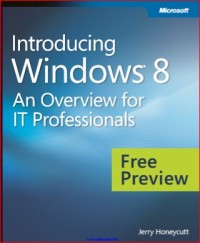
Introducing Windows 8
The Windows 8 operating system is the newest member of the Microsoft Windows family. It differs from earlier Windows releases as much for what it does not change as for what it does change. That is, the features that IT pros loved about Windows 7 are still there in Windows 8—just better. The same keyboard shortcuts, management tools, security features, and deployment options are available in Windows 8. But in many cases, Windows 8 improves them in intuitive and significant ways. Some examples are the ribbon in File Explorer and faster disk encryption when using BitLocker Drive Encryption. This book describes these enhancements plus many of the new features in Windows 8. Of course, everyone is talking about the elements of the new user interface in Windows 8: the Start screen, the modern looking Windows graphics, and so on. These are not replacements for the desktop, and it is not an either-or choice that you have to make. For desktop apps, the same desktop that you used in Windows 7 is still there in Windows 8. You can still pin apps to the taskbar, pin files to those apps, and so on. The keyboard and mouse work the same way as it did before on the desktop. But Windows 8 uses a Start screen instead of the tiny Start menu in Windows 7. The most obvious benefit is that there is more real estate available, so apps can display dynamic, live information on their Tiles (icons) to bring the latest information to you at a single glance.
Windows 8 also introduces Windows 8 apps. These are full screen, immersive apps that provide a different experience than you might be used to with traditional desktop apps. They do not have chrome. App commands (menu items) only appear when you need them. Importantly, Windows 8 and Windows 8 apps provide a first-class touch experience, so you can swipe, flick, and use other intuitive gestures to get around them.
Availability
No copy data
Detail Information
- Series Title
-
-
- Call Number
-
-
- Publisher
- : ., 2012
- Collation
-
1-147
- Language
-
English
- ISBN/ISSN
-
978-0-7356-7050-1
- Classification
-
NONE
- Content Type
-
-
- Media Type
-
-
- Carrier Type
-
-
- Edition
-
-
- Subject(s)
- Specific Detail Info
-
-
- Statement of Responsibility
-
-
Other version/related
No other version available
File Attachment
Comments
You must be logged in to post a comment
 Computer Science, Information & General Works
  Philosophy & Psychology
  Religion
  Social Sciences
  Language
  Pure Science
  Applied Sciences
  Art & Recreation
  Literature
  History & Geography